By "Cookies" I mean the little bits of encrypted computer code and not the big chocolate chip things.
We are not involved in collecting information about you and doing sinister things with it. We already have more information in general than we know what to do with.
Our site uses "Cookies" to keep track of your shopping cart while you shop and to recognize you when you return. Beyond that, (no offense intended), your cookies are of no interest to us.
JavaScript
In order for some features of our site to work properly, "JavaScript" must be enabled in your browser settings.
Customer Comments
Show me another
|
Leave a comment
If you'd rather speak with a human, please call toll-free from anywhere in the U.S. or Canada M-F 8am to 5pm PST
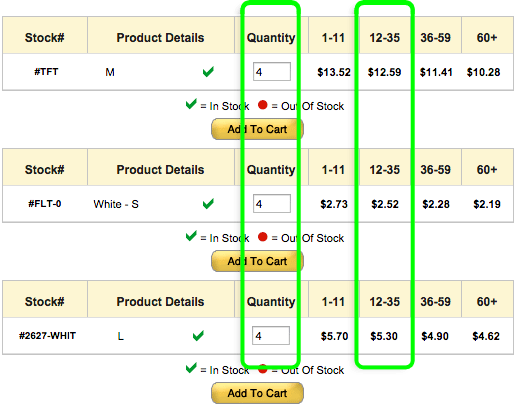
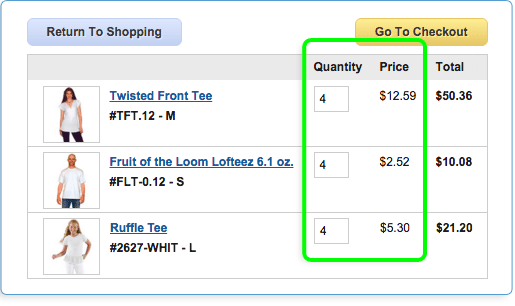
You can combine cotton and rayon clothing & accessories to get the greatest discounts.
Your discount is figured on the total number of cotton and rayon items we ship, not how
many of each type, style or size. Mix and match them to get the best discount.
Example: adding 4 each of 3 different T-shirts in any sizes will give you the 12+ price on all 12 shirts.
Some products may be excluded from discounts, and / or may discount only with themselves.
If you have any questions at all please contact us toll free at 800-542-5227 (no buttons,
just humans).











 Item Added to Cart
 Item Not Added