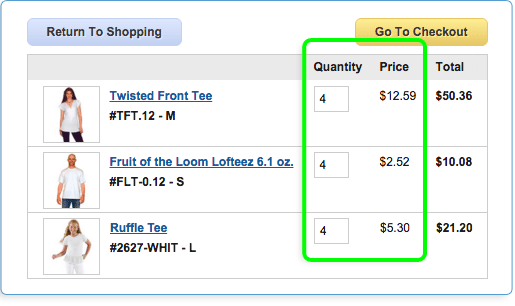



Your Shopping Cart
 4th of July Holiday.
We will be closed Thursday, 7/4, in observance of the 4th of July.
Due to holiday shipping schedules, packages will not be picked up or delivered that day. If you wish to receive your order before the 4th of July holiday, please use the following guidelines to help you choose the best method for proper delivery, keeping in mind that shipping companies no longer guarantee anything except overnight orders:
- UPS Standard Ground & Fedex Ground orders must be placed no later than Wednesday, 6/26, before noon PST.
- 3 Day Air orders must be placed no later than Friday, 6/28, before noon PST
- 2 Day Air orders must be placed no later than Monday, 7/1, before noon PST
- 1 Day Air Overnight orders must be placed no later than Tuesday, 7/2, before noon PST
- USPS Priority/USPS Ground Advantage: All we can say is that they won't be delivering Wednesday, 7/4. Best estimate to most zip codes is delivery anywhere from 3 to 7 days, but sometimes.....??
- (West coast customers do have a bit more wiggle room. Call for details.)
Please keep these shipping delays in mind when placing your order. If you have any questions, please feel free to call us directly 800.542.5227
Our website will be up and running though, so feel free to place your orders with us here anytime during the closure. We'll be back Friday, 7/5, to process all your orders after the holiday. Oh, and Happy Fourth of July!

We thought it helpful to remind you that Soda Ash is required for Fiber Reactive Dyes
We noticed you added Fiber Reactive Dye to your cart and we want to make sure you know that Soda Ash Fixative. #FIX is required to make the dye permanent. If you know this, click 'dismiss' and you will never see this message again. If you need to know more, click the link to visit our Soda Ash page.
What is UPS SurePost?
UPS SurePost is an economy combination of UPS and the US Postal Service. Your mail carrier will deliver it. It takes a couple of days more, up to a week more for PR, AK and HI, and saves you money.


 Item Added to Cart
 Item Not Added